Click Here to View This Page on Production Frontend
Click Here to Export Node Content
Click Here to View Printer-Friendly Version (Raw Backend)
Note: front-end display has links to styled print versions.
Content Node ID: 434957
Garmin today unveiled its next integrated avionics suite—Axis—a move that incorporates a refresh of the G3X Touch, a potential upgrade path for many older systems, and also adopts features from the G3000 and G5000 Prime integrated flight decks. Axis as “Prime lite” is one way to consider the new lineup, but Axis also represents a long-awaited move away from what has become traditional glass displays surrounding a center stack of individual avionics such as audio panels, navcoms, and transponders. The result is a much cleaner-looking panel with big displays that incorporate a GPS navigator, navcom, and audio panel.
Axis, like Prime, also fully embraces touchscreen displays while retaining the dual-concentric knob and a small amount of button functionality. Targeting the Class I and II certified light airplane and experimental amateur-built (EAB) markets, Axis is also a clear stepping-stone to Prime, and a pilot who learns with Axis will find Prime an easy transition.
Garmin doesn’t envision Axis as a G1000 replacement, but at some point that product line with its many buttons and no touchscreen displays (although touchscreen controllers are available) may become obsolete. Axis certainly could be a suitable replacement for G1000, especially for training pilots who eventually will graduate to Prime-equipped airplanes.
G1000, which entered service in 2004, “is a benchmark product,” according to Jim Alpiser, director of aviation aftermarket sales. “It morphed and became better, but didn’t address upgrades for fielded aircraft. [Axis] is addressing how to get new technology into fielded aircraft.” Until now, this happened with retrofittable displays married to those center-stack avionics, then later with touchscreen TXi displays as well as G3X Touch systems. All of these have been suitable retrofits, but individual radios were still necessary.
While Axis “initially is not targeted as a G1000 replacement,” he said, it does offer both retrofit and forward-fit opportunities, and it will be especially attractive for EAB builders who were waiting for a replacement for G3X (which will still be manufactured).
That attractiveness isn’t just because Axis is spiffy and new but has more to do with what it does for a cockpit. With built-in GPS, navcom, and audio panel functionality and using a remote-transponder, the cockpit can be transformed into what almost looks like a wall of glass, with vibrant colors, responsive fast processors, and an intuitive user interface. That said, Garmin will offer Axis functionality combined with other avionics for customers who want to retain existing compatible products but still want the new Axis features.
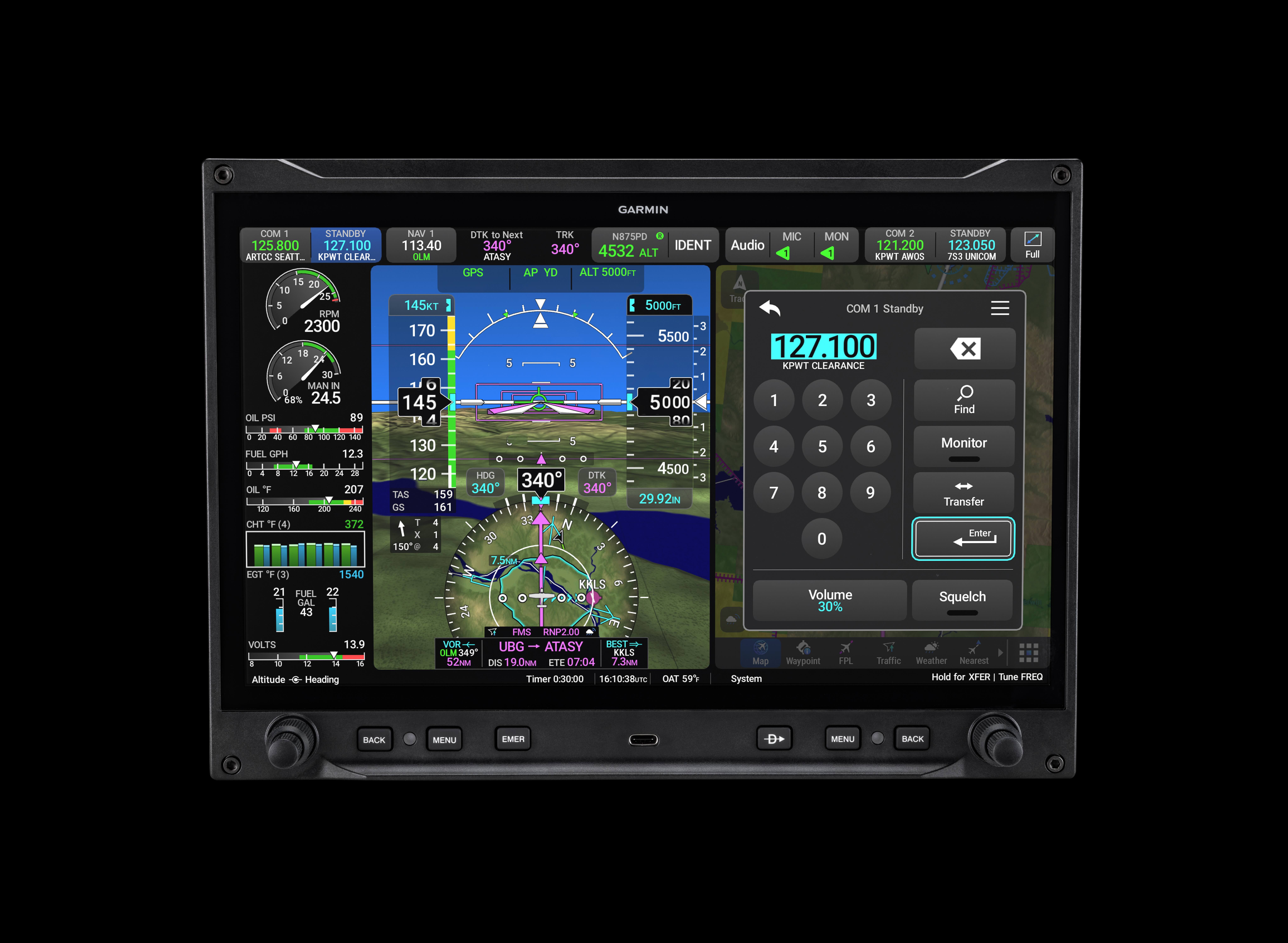
The concept of big glass displays and eliminating separate navcom/navigator units isn’t new, but it hasn’t exactly been fully embraced by other avionics makers. Garmin engineers seem to be thinking, if we have these large touchscreens, why do we need other units clogging up the panel? Why not just do everything on the big displays?
Axis certainly provides the answer for smaller aircraft for which Prime isn’t an option, and it neatly aligns with Prime’s design philosophy.
Elements of Axis
Anyone familiar with modern Garmin touchscreen displays, even the touchscreen controllers in G3000 and G5000 flight decks and the Garmin Pilot EFB app, will not find Axis unfamiliar territory. Axis comes in three sizes: 11.6-inch landscape, available now; and eight-inch portrait or landscape, available in early 2027. Garmin has already earned a supplemental type certificate (STC) covering Axis installation in hundreds of Class I and II Part 23 single- and twin-engine airplanes, with more STCs in the works.
EAB owners are also a target market for Axis, and any airplane that is equipped with G3X Touch displays can be upgraded to Axis displays, retaining the same sensors and LRUs and using the original panel cutouts and mounting holes, although the Axis displays expand the viewable real estate compared to G3X displays. Garmin’s EAB experts on Team X played a big role in Axis development.
The Axis displays are flexible, allowing configuration as a primary flight display (PFD), multifunction display (MFD), or engine indication system (EIS), and they offer split-screen or full-screen capability. An interesting development is that more touchscreen zones are available now, including on the PFD, and these are indicated by rounded corners for easy identification. The PFD includes Garmin’s embedded HSI map or traffic view, similar to the HSI map on G1000 NXi, G3000, and G5000.
Garmin has added customizable widgets on the Axis PFD, which can display compact views of functions such as the map, flight plan, weather, traffic, and other features. Widgets can also be touch buttons, allowing the user to expand the information if needed. “The widgets are a new concept that we’re introducing,” said Scott McCurley, manager, aviation marketing. “The idea is to give you both a preview of some information without taking up a full 50/50 split-screen MFD page. Those [widgets] are also a button [and] I can tap on one of those, and it's going to take me through that full-screen viewer and get a little bit more information.”
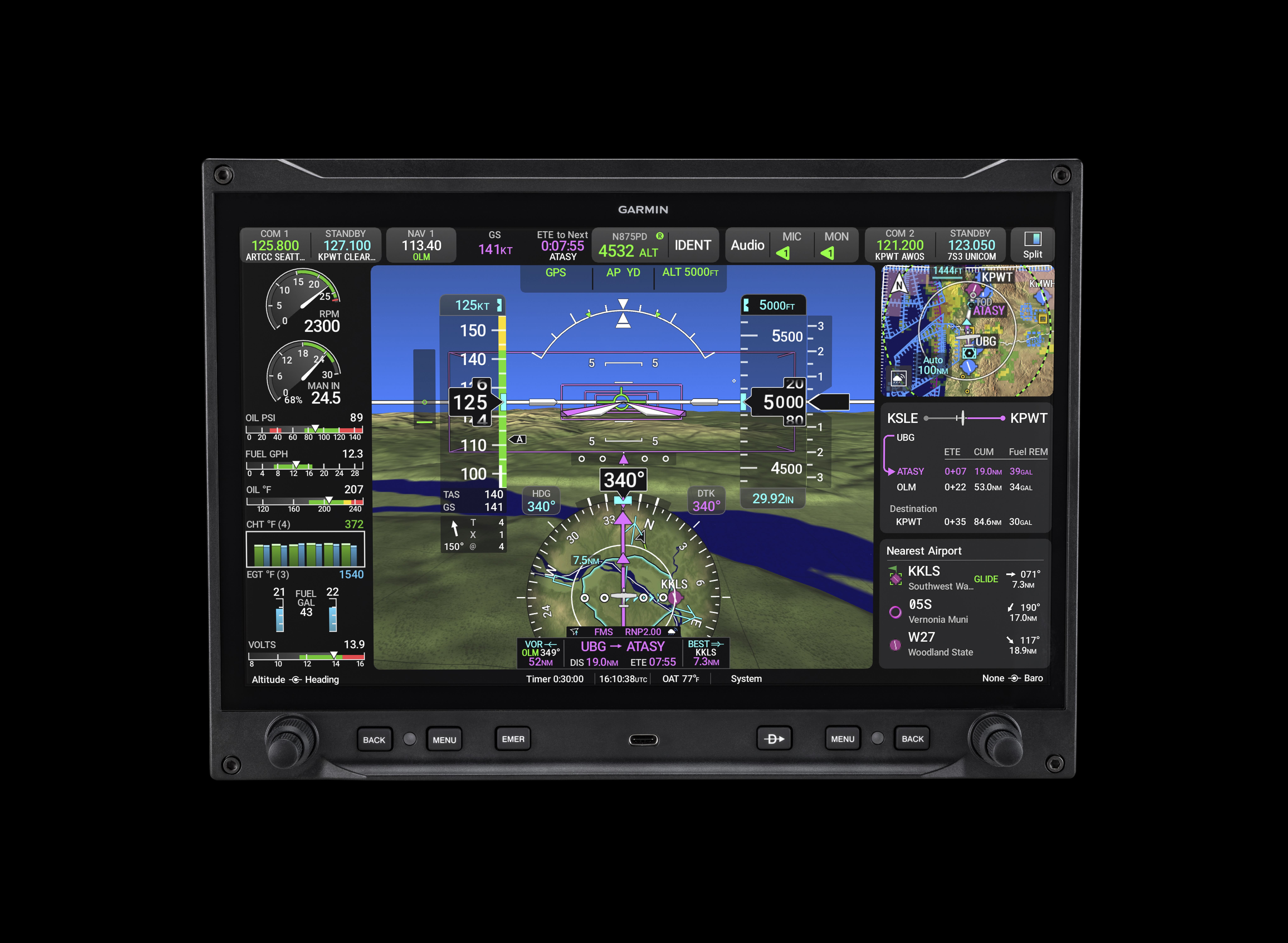
From Prime, Axis has adapted enhanced synthetic vision with higher fidelity, better shadows, improved depiction of terrain, obstacles, runway and taxiway markings, and more realistic detail for airport features.
Another feature borrowed from Prime is the radial menu on MFD pages. This is a feature that originated with the Garmin Pilot app and allows the user to tap anywhere on the MFD page and access information relative to that location. “It’s a really easy way to interact with the map and access additional information, all very context-specific,” he said.
Axis MFDs can display video imagery from cameras, including infrared sensors, via an HDMI input.
The new 11.6-inch displays offer an optional built-in, TSO-approved IFR GPS navigator, nav and com radios, and a four-place intercom/audio panel. The eight-inch displays are equipped with a VFR GPS and can display the PFD/MFD and EIS but don’t offer the additional IFR GPS navcom capability. The VHF com radio can output 10 watts of transmit power, supports 8.33 kHz frequency spacing, and enables standby com monitoring when tuned to an active frequency. Features available with the audio panel include support for one external radio, com playback, and Bluetooth connectivity for music and phone calls, flight plan sharing with compatible EFB apps, and Database Concierge updates. Although not available initially, Garmin’s GDL 60 PlaneSync datalink technology will be offered for Axis, and this will enable remote monitoring and efficient sharing of flight data with analysis services. Checklists aren’t available yet, but will be in the future.
Axis safety features include 3D SafeTaxi, a geo-referenced view of the airport environment, signage, and buildings relative to the aircraft, and optional SurfaceWatch runway monitoring to help pilots prevent taking off or landing on the wrong runway.
Garmin’s Runway Occupancy Awareness (ROA) is included with Axis. ROA isn’t new and has been included with G3000/G5000 and Prime. It provides visual and aural alerts, according to Garmin, for “any traffic landing, taking off, stopped, or taxiing on the aircraft’s runway; traffic on approach to the aircraft’s runway or runway that crosses the aircraft’s runway; as well as any traffic on the runway at which the aircraft is holding.” The alerts “are provided to the flight crew based on the potential hazard, ranging from no immediate collision hazard to a warning-level alert where a collision risk could occur within 15 seconds.”
Not Too Many Buttons
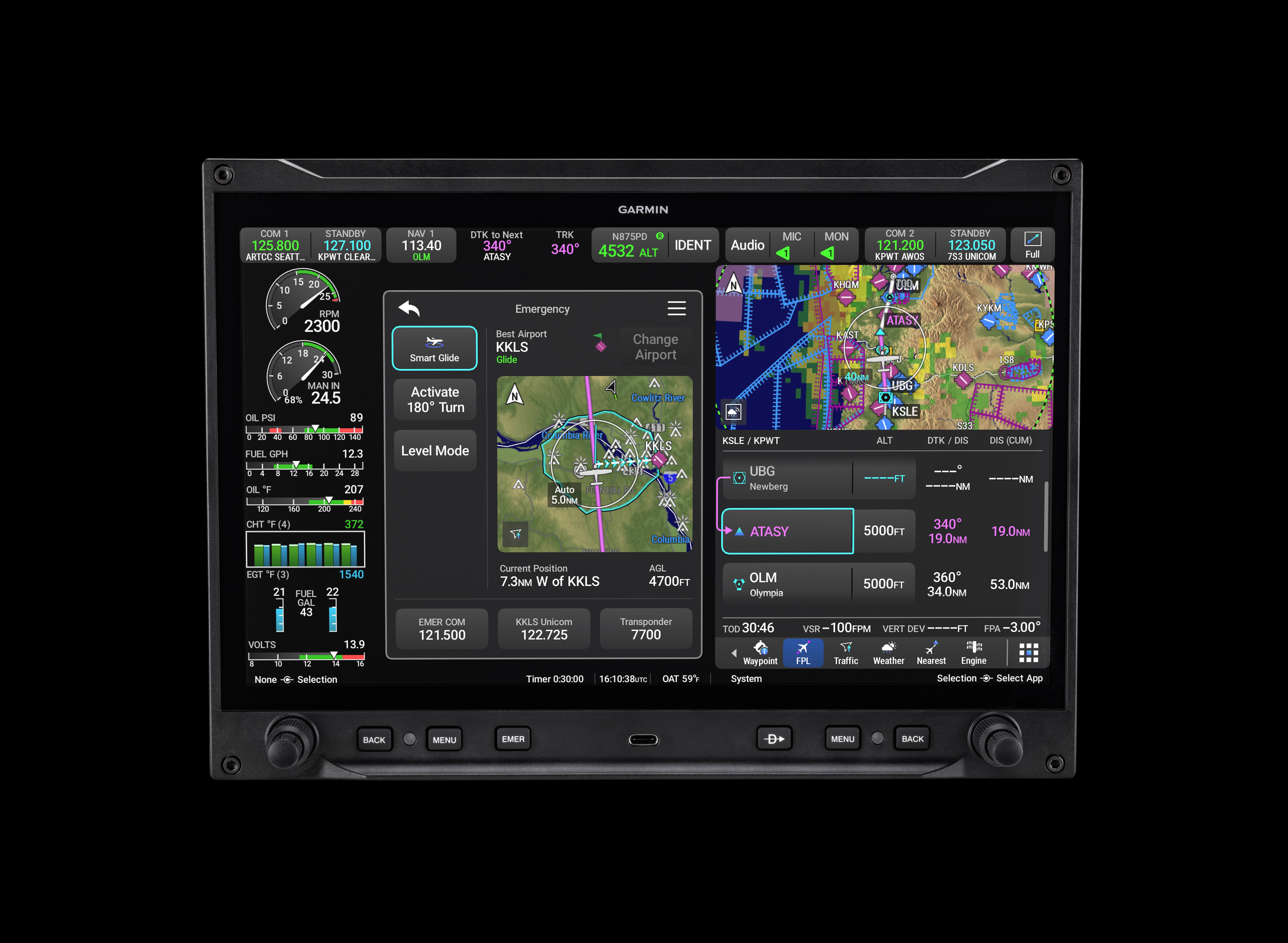
A helpful Axis feature is a dedicated emergency button on the display bezel, one of the few available physical buttons. Pushing the emergency button provides instant access to touch buttons to select the 121.5 emergency frequency, 7700 transponder code, and Garmin features such as Smart Glide, Level Mode, and—especially helpful for weather encounters—Activate 180-degree Turn.
The other buttons and knobs on the 11.6-inch and eight-inch landscape displays are arranged to accommodate reaching by either pilot or left- and right-hand preferences, with a dual-concentric knob on both lower corners, then inside of those, a back button. On the left side is the emergency button, and the right side hosts a direct-to button. When running split windows on an Axis display, each dual-concentric knob controls each split window. The eight-inch portrait display has only one set of buttons and one dual-concentric knob on the right bezel.
The back button is an interesting feature, and that it is a dedicated hardware button underscores its importance, giving users quick access to back up a step or more. This is a familiar concept for modern computing devices, and it makes sense to include it in today’s avionics. Garmin Prime also has a back button, so this should become familiar as Prime and Axis move further into the marketplace.
Conveniently, each Axis display has a USB-C port on the bezel for software loading, flight log downloading, and mobile device charging.
Installation Options
Axis is designed to offer installation flexibility by pairing with existing avionics and sensors or with its built-in capabilities, including both CAN and high-speed bus options. For example, Axis displays can use existing GSU 25 ADAHRS, GMU 11 magnetometers, GEA 24 engine indication modules, GFC 500 and 600 autopilot servos, radios and transponders, GHA 15 height advisor, GNX or GTN navigators, standby instruments, and select third-party interfaces. The new high-speed bus eliminates the need for external data converters, according to Garmin, “like the GAD 29 Arinc interface, and these expanded interfaces also bring additional advantages into the panel, like software and database crossfill, so system maintenance and updates are more efficient too.”
The availability of the various display sizes allows buyers to mix and match to fit the panel space. One 11.6-inch display can provide IFR GPS and navcom capability with split-screen display for the MFD and engine indication system (EIS). Pairing an eight-inch portrait or landscape display can add the MFD or EIS separately from a large display.
Axis displays, while they contain more hardware and capability, are thinner than G3X displays. At the same time, they eliminate much of the wiring needed between various modules because they are all self-contained. For installers, Garmin has made many improvements to the complex configuration process, so installations should be faster and easier.
Flying with Axis
During a demonstration flight in Garmin’s Beechcraft Baron with Garmin corporate flight department team lead Jessica Koss, I was able to view and try out many of the Axis features. The Baron is equipped with dual 11.6-inch displays in front of each pilot seat and an eight-inch display configured for EIS between the two larger displays. The only other avionics equipment is a GI 275 for backup instrumentation on the left side and a GFC 600 autopilot controller mounted below the center eight-inch display. The result is a remarkably clean-looking instrument panel—especially when compared to the original Baron with its multitude of mechanical gauges, switches, and buttons, but also compared to the latest version, the G58 Baron with a G1000 suite.
A new and helpful feature in Axis is the display of wind on the ground. Axis eliminates the three options for wind display on the PFD, which simplifies operation, in my opinion. Instead of having to remember that I prefer option 2 (combined headwind/tailwind) on G1000/G3000/G5000, now Axis just shows the wind direction arrow with the speed and direction in degrees as well as the headwind and crosswind speeds.
As we taxied to Runway 36 at Garmin’s home airport, New Century AirCenter (KIXD) in Olathe, Kansas, we could see on the SafeTaxi display the 3D exocentric bird’s-eye view of us taxiing along Taxiway A.
Koss prefers to run the full PFD with EIS on her 11.6-inch Axis display with the MFD moving map on the center eight-inch display. She showed me a neat benefit of popping up the radial menu on the MFD as we neared Lawrence Regional Airport (KLWC); the distance to the destination airport constantly updates, making it easy, for example, to give a distance to the tower controller or to report a distance that the tower requested.
One of the key features that we would see during the demo flight was how ROA can help alert us about an airplane on the landing runway. With another Garmin airplane, a Bonanza, set up at the end of non-towered KLWC’s Runway 33, we flew a visual approach and looked for that airplane, whose pilot waited until we were on a three-mile final before taxiing onto the runway. From a distance, it was almost impossible to discern the Bonanza as it blended with the white runway markings.
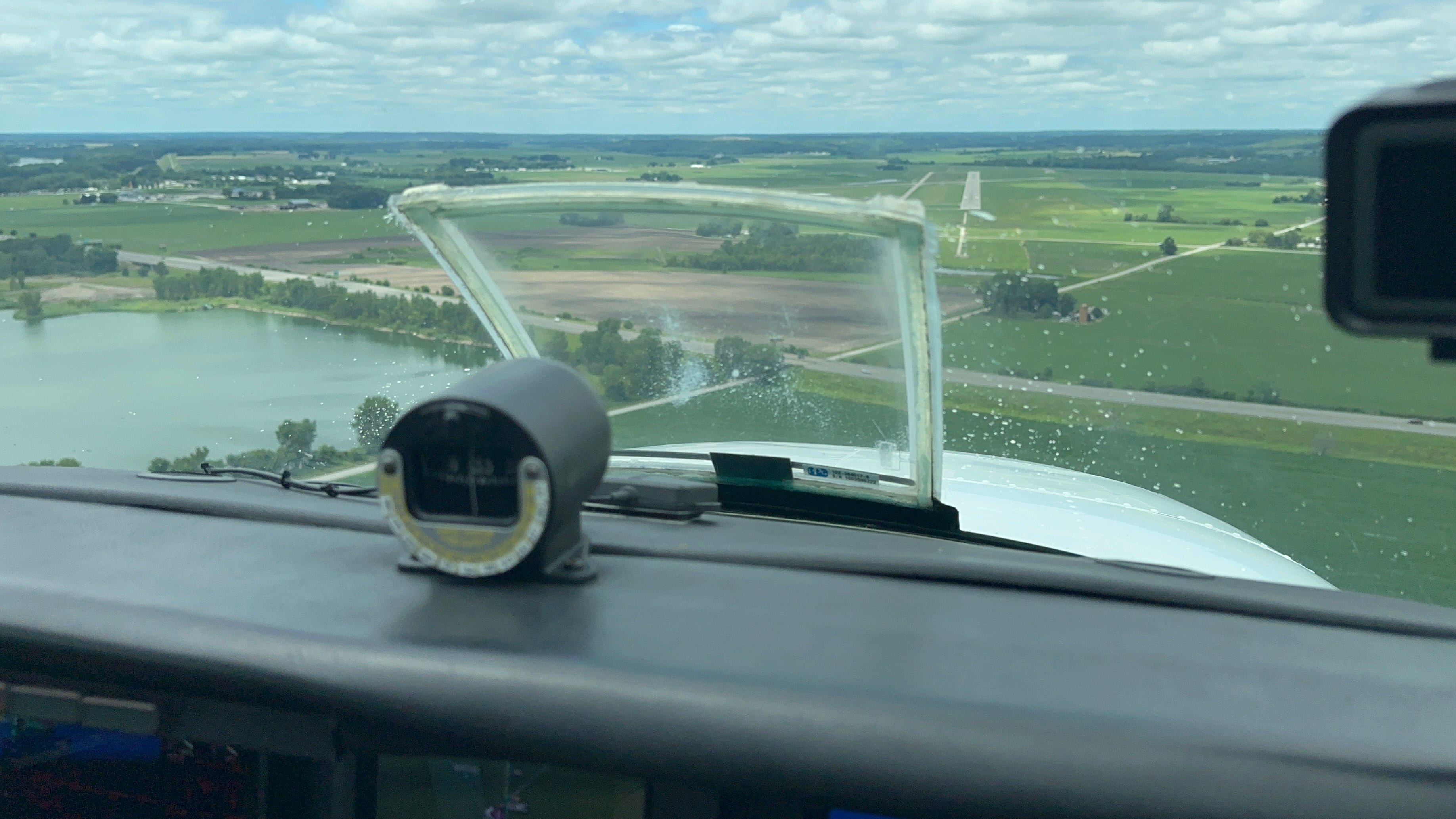
As we neared the runway, with the autopilot coupled to fly the visual glide path, we could see the ROA system displaying on the PFD a yellow “TRAFFIC RW33” alert and turning the conflicting airplane from brown (on the ground) to yellow. These also showed on the center MFD, and we heard an aural alert as well. At less than half a mile to the runway, with the conflicting Bonanza still sitting there, the alerts and airplane symbols turned red, and we made the logical move and began a go-around.
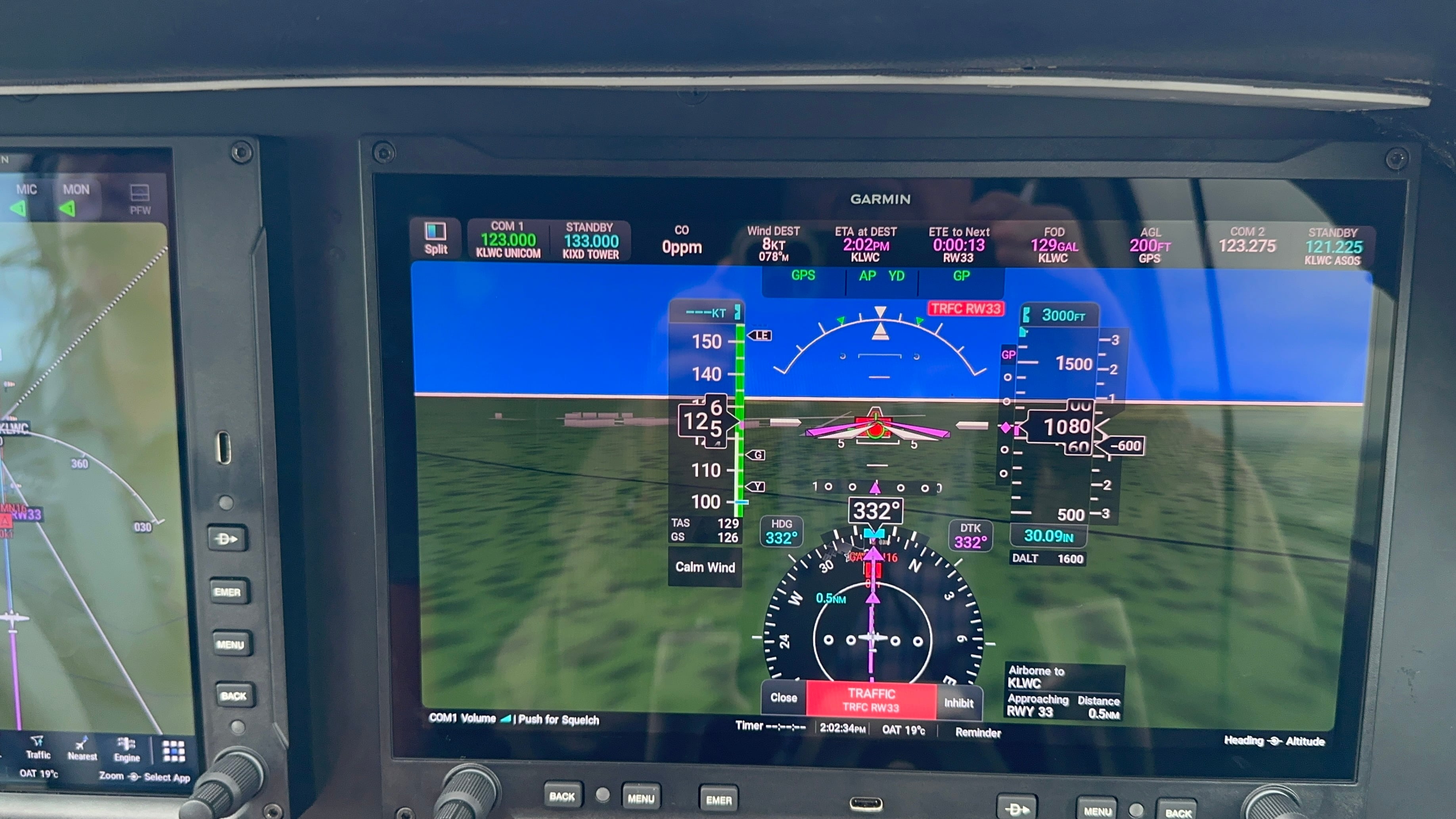
The benefit of ROA was clear during this demo, and it would be especially helpful to know that there is an aircraft blocking the runway while flying an IFR approach where breaking out at minimums would give scant time to avoid a collision.
Some other interesting Axis features are a cyan flight path indicator that pops up when moving the heading bug; a new wind-at-destination option in the databar; replacement of the inset view with widgets; a notice that activating an IFR approach will guide the airplane directly to the selected transition; blue chevron runway locators guiding to the destination airport (adapted from G3000/G5000); and the ability to create a popup reminder message that lasts for 30 seconds. Obviously, there are many more features, and pilots new to Axis will want to spend some time learning them before flying, which can be done through online training and with PC and iPad trainers that replicate the avionics.
Axis Pricing
Up to six Axis displays can be installed in an experimental airplane or four in a Class I or II certified airplane.
A base 11.6-inch Axis display with VFR GPS costs $8,000, including sensors. The IFR GPS version with GPS navigator, audio panel, and navcom costs $28,000, and two of these together cost $51,800, which Garmin said is less than a G3X with similar capabilities and equipment.
With so many airplanes on the Axis STC, retrofit opportunities for Axis avionics are significant, much more so than individual STCs for G1000 and other aftermarket upgrades.
As for the name “Axis,” it signals a pivot to a new avionics platform with significant safety features for smaller aircraft. “With this product we're creating a new category,” said McCurley, “what we call the integrated flight display system. We wanted to make sure that we signaled that to the market.
“The other thing that this product has potential to do is eliminate the center radio stack…so that means there’s a new center of the panel, a new place that all the axes will revolve around. We have an option for a primary flight display with an IFR GPS, a navcom radio, and a four-place audio panel built into a single display, so that’s something that the industry hadn’t seen before and is part of the magic of what we’re unlocking here. It has a seamless new user interface…combining a lot of different Garmin systems…and a lot from the G3000 Prime as well. We’re also bringing a lot of those safety tools through to the live general aviation fleet…[such as] runway occupancy awareness.”